World’s #1 Kuaishou Downloader

Download Kuaishou & Kwai Videos in 4K |

We offer a solution to your Kuaishou video downloading problem without a watermark. This service is 100% free—you don’t need to pay or buy any subscription. With our tool, you can download your favorite Kuaishou (also known as Kwai) videos in a fast, reliable way and in full 4K Ultra HD quality.

We built this tool after carefully studying the real problems people face with other downloaders. Whether you are using the Chinese Kuaishou app or the international Kwai version, our tool provides a fast and unlimited solution to save high-quality videos directly to any device, including PC, iPhone, and Android. Before downloading videos, we recommend that you check and read our download guide and common problems section to avoid any issues and ensure a smooth experience.

How to Download Kuaishou & kwai Videos (Three simple steps)

To download your videos for free without a watermark, follow these three steps.
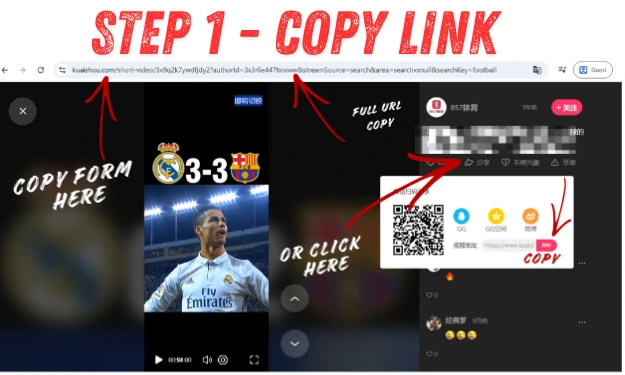
Screenshot of a KuaiShou short video page showing how to copy the full video URL using the browser address bar, here the short link and QR code.
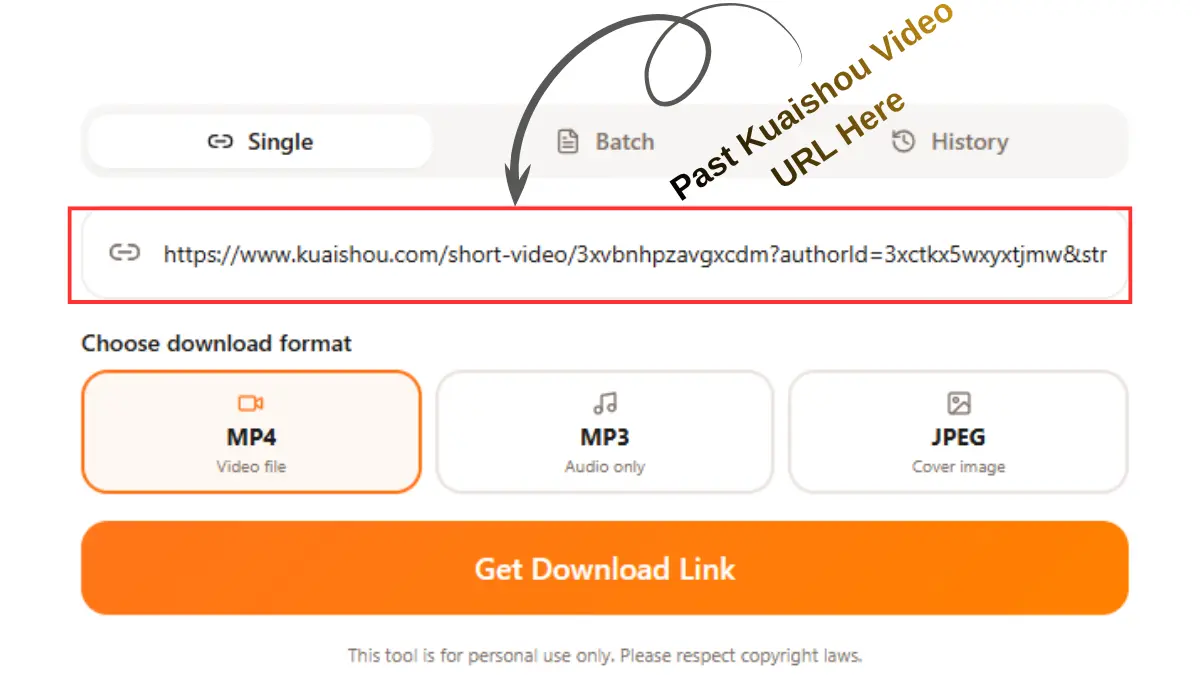
This screenshot shows Step 2 of downloading a Kuaishou video, where the copied video link is pasted into the download field and the “Get Download Link” button is clicked for video downloading.
This screenshot shows Step 3 of downloading a Kuaishou video, where the user selects a video format and clicks the download button.

 Step 1 – Copy the Kuaishou Video Link

You need to open the Kuaishou (Kwai) app or website, find the video that you want to download, and then click on the share button or icon. Then, copy the video's link.

Step 2 – Paste the Link into the Downloader

Then come back to our website and paste the link that you copied from the Kuaishou (Kwai) app or website, and then click the "get download" button. This tool automatically detects your video.
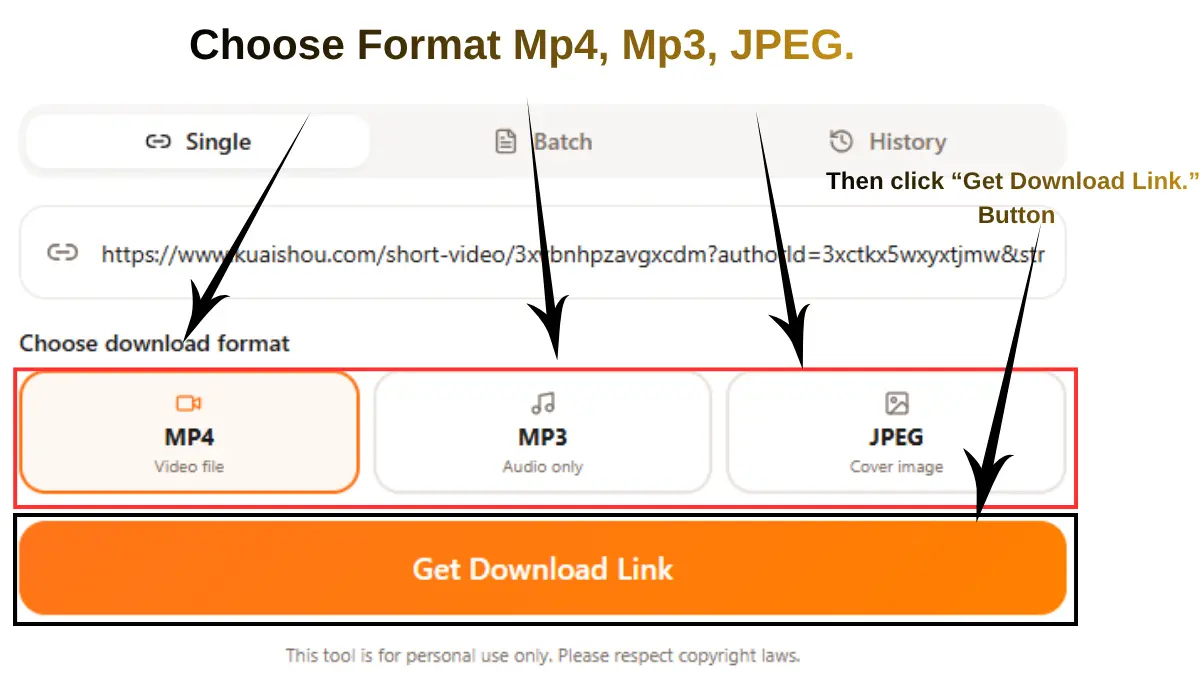
Step 3 – Choose Quality & Download

Then, in 5 to 10 seconds, you will see your video in preview, and then you can select the quality (480p, 720p, 1080p, or 4K) you want for your video. Click the download button to save your video on a PC, iPhone, or Android device.

 Common Problems after you put the link & How to Fix Them

Below is a common problem that you may face. But if you follow the above step carefully, in most cases, users don’t experience issues. 

Keep in mind that when you are downloading the videos, make sure the internet connection is stable, and then any errors will be shown on my website. Follow the two processes below.
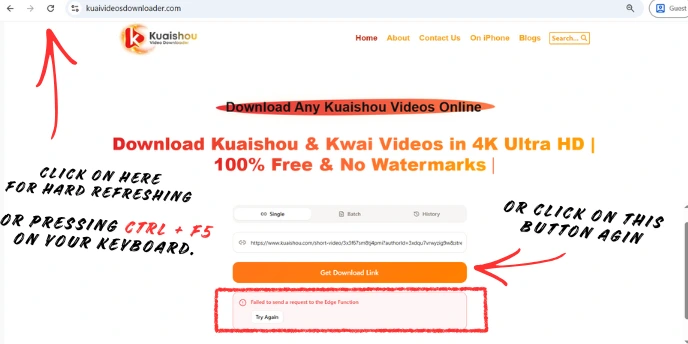
Troubleshooting guide for Kuaishou Video Downloader showing how to fix the 'Failed to send a request to the Edge Function' error. Annotations instruct users to perform a hard refresh by clicking the browser reload icon or pressing Ctrl + F5, or to click the 'Get Download Link' button again.

First solution:

Do a hard refresh of our website by pressing Ctrl + F5 on your keyboard. Then paste the video link again and click the “Get Download Link” button. In most cases, this resolves the issue immediately.

Second Solution:

If the error still appears, simply click the “Get Download Link” button again at the same time and wait a few seconds. Maybe you face this issue due to temporary loading, browser cache, or network issues; it's usually solved by retrying.

  • Link Parsing Failed / Invalid Link
  • Video Still Has Watermark
  • Download Button Not Appearing
  • Unsupported or Private Videos
  • Slow or Stuck Downloads
  • Mobile (Android / iOS) Download Issues
  • And many more common problems

All Kuaishou Link Formats Supported

Our tool extracts and parses all types of Kuaishou & Kwai links - from mobile app shares to direct video URLs

You don't need to worry about your link format - whether it's Kuaishou or Kwai links. We designed and developed this tool to extract and parse all types of link formats. Just make sure the URL is not blocked or removed from the backend.
Share Links (Short URLs)

Shortened URLs shared through Kuaishou's sharing features.

International Kwai Links

URLs from international users of the Kwai platform.

Kwai App Share Links

Links copied directly from the Kwai mobile app on your phone.

Mobile App Shared Links
Short Links

Kuaishou short links, also known as Kwai links, typically use shortened domains followed by an alphanumeric ID.

Direct Video Links

Direct links to specific videos on the Kuaishou platform.

Profile & Photo Links

Links to profiles and photo posts on Kuaishou/Kwai.

Types:
• Profile-shared links
• Photo posts links
• User profile URLs
Function Already Integrated

What Is a Kuaishou (Kwai) Video Downloader?

Key Benefits

  • Download Kwai videos without a watermark
  • Save videos directly to your local device or gallery
  • Supports video, audio (MP3), and images in PNG format
  • Works on any device: mobile, tablet, and desktop

Want to learn more?

  • What is Kuaishou (Kwai)?
  • How Video Downloaders Work.
  • Kwai App vs Video Downloader
  • What is the difference between Kuaishou and Kwai
  • Kwai vs. TikTok
  • Kwai Downloader Online vs. Modded APKs
  • Pros and cons
  • Is Kwai Safe? Privacy, security, etc.

Why Choose Our Kuaishou Video Downloader Over Others? Key Features!

Let's be honest—when so many Kuaishou Video Saver applications are available. So why use ours? Below, I have explained what makes us stand out from the rest, and that's why people come back again and again.

No Watermarks

Get clean, professional videos every time. We remove the Kuaishou logo and creator ID so your videos are completely distraction-free. No ugly watermarks covering the screen.

Higher Success Rate for Parsing

Your tool gives a higher success rate in especially in parsing videos. Your tool gives a rate of 99.9% correct, but sometimes fails to parse due to video instructions.

 Faster Download Speed

Optimized servers mean quicker processing and faster downloads—even for HD and 4K videos. While other tools make you wait minutes staring at loading screens, we get your video ready in seconds. Your time is valuable to me.

Secure & Privacy-Friendly

We take your privacy seriously. We don't save the videos you download, we don't track or see what you're doing, and we don't sell your data.  Your downloads are completely anonymous here.

Everything in One Place:

Why jump between different tools when you can do it all here? Download videos, extract audio as MP3, save photos as PNG format—all from one simple tool. 

History feature:

We embedded the "History" feature, where you can save your downloadable history, but no one can see this data other than you. And your data doesn't save in our database.

Download in 4K Quality

Do you want to download your favorite video in the best quality? So we fulfilled your wish. Download videos in their original quality—whether that's 1080p Full HD or stunning 4K Ultra HD. Highly clear, no compression.

Video, Photo & Audio Support

Download complete videos, extract audio as MP3 (320 kbps), or save thumbnail images in PNG format. Our app supports all features.

Unlimited Downloads

Feel free to use our tool as much as you like. Download 5 videos or 500—there are no limits on usage. No daily limits, no "upgrade to premium" messages. It's 100% free forever.

Save Directly to Your Gallery

On mobile? Your downloaded videos go straight to your phone's gallery or camera roll. No searching through file folders—just open your photo gallery, and there it is.

Works on any Device

iPhone, Android, tablet, Windows PC, Mac—doesn't matter. Our tool works perfectly on any device with a browser. No apps to install, no compatibility issues.

 Free on All Devices

Whether you're on Android, iPhone, Mac, or PC—it's completely free. No hidden costs, no watermarks, no premium versions.

Cleaner Interface (No Ads / Fewer Popups)

We keep it simple. No spam, no annoying redirects, and no fake download buttons that trick you into clicking ads.

Regular Updates & Tool Maintenance

We constantly maintain the tool. When Kuaishou updates their platform, we update our downloader to keep it working. You won't experience an outdated tool that hasn't been touched in months. We're committed to keeping this reliable for you.

 Is It Legal to Download Kuaishou Videos?

Short answer: It depends on you and how you use them.

Personal use ✅ – Downloading for personal viewing or offline access is generally acceptable.
Commercial use ⚠️ – Reposting, monetizing, or business use requires creator permission.

Key principles:

  • Downloading doesn’t mean you own the video
  • The original creator holds all rights
  • Give credit to the creator when sharing the video
  • Ask permission before using it commercially
  • Respect copyright laws

Your Privacy & Security

We take your privacy seriously:

  • No video storage – Downloads go directly from Kuaishou to your device
  • No tracking—We don't monitor your activity
  • No login required—here you completely anonymous
  • HTTPS protection – Secure connection
  • No data collection—We don't collect emails, IPs, or personal info

The optional “History” feature stores data locally on your device only (never on our servers).

For Global User Kuaishou Video Downloader

Search in your language - Our tool understands them all

🇮🇩
Indonesian Users
(Pengguna Indonesia)
"Download video kuaishou tanpa watermark"
Get videos without the Kuaishou logo
🇻🇳
Vietnamese Users
(Người dùng Việt Nam)
"Download video kuaishou không logo"
Download without watermarks
🇮🇳
Indian Users
(भारतीय उपयोगकर्ता)
"Kuaishou video kaise download kare"
How to download Kuaishou videos
500K+
Downloads
50K+
Happy Users/Month
99.9%
Success Rate
24/7
Available
Complete Guide for International User

(Detailed instructions, troubleshooting, and tips for users worldwide)

Frequently Asked Questions (FAQ) about our Downloader

Yes, it's 100% free. No hidden fees, no "premium" version, no subscriptions. Use it as much as you want.

 No. Our browser-based tool doesn't require downloads or installations of any software.

 No. If a video is set to private or needs a password, we can't download it. We can only download those videos that anyone can see publicly.

On Android/Windows: Your Downloads folder (usually accessible through your file manager or gallery).
On iPhone/iPad: Check your browser's downloads section. You might need to save it to your Photos app manually.

 Absolutely. Works great on both Android and iPhone. Use any mobile browser or Google.

You can download whatever quality the creator uploaded—it could be SD (480p), HD (720p), Full HD (1080p), or even 4K (2160p). The tool shows all available options.

No. We don't save your downloaded videos and personal data. We don't track downloads, and we don't collect your downloadable videos data. Here you are, anonymous.

 As many as you want. There's no limit.

 Check our "Common Problems" section above—we cover most issues there. Usually, it's an ad blocker, or the link is not copied correctly.

You can download them, yes. But remember to respect copyright and give credit to the original creator when sharing the videos on social platforms.

Conclusion—Download Kuaishou Videos online Easily & Safely