How to Download Kuaishou & Kwai Videos on iPhone (2026): No Watermark, Ultra-HD, Free
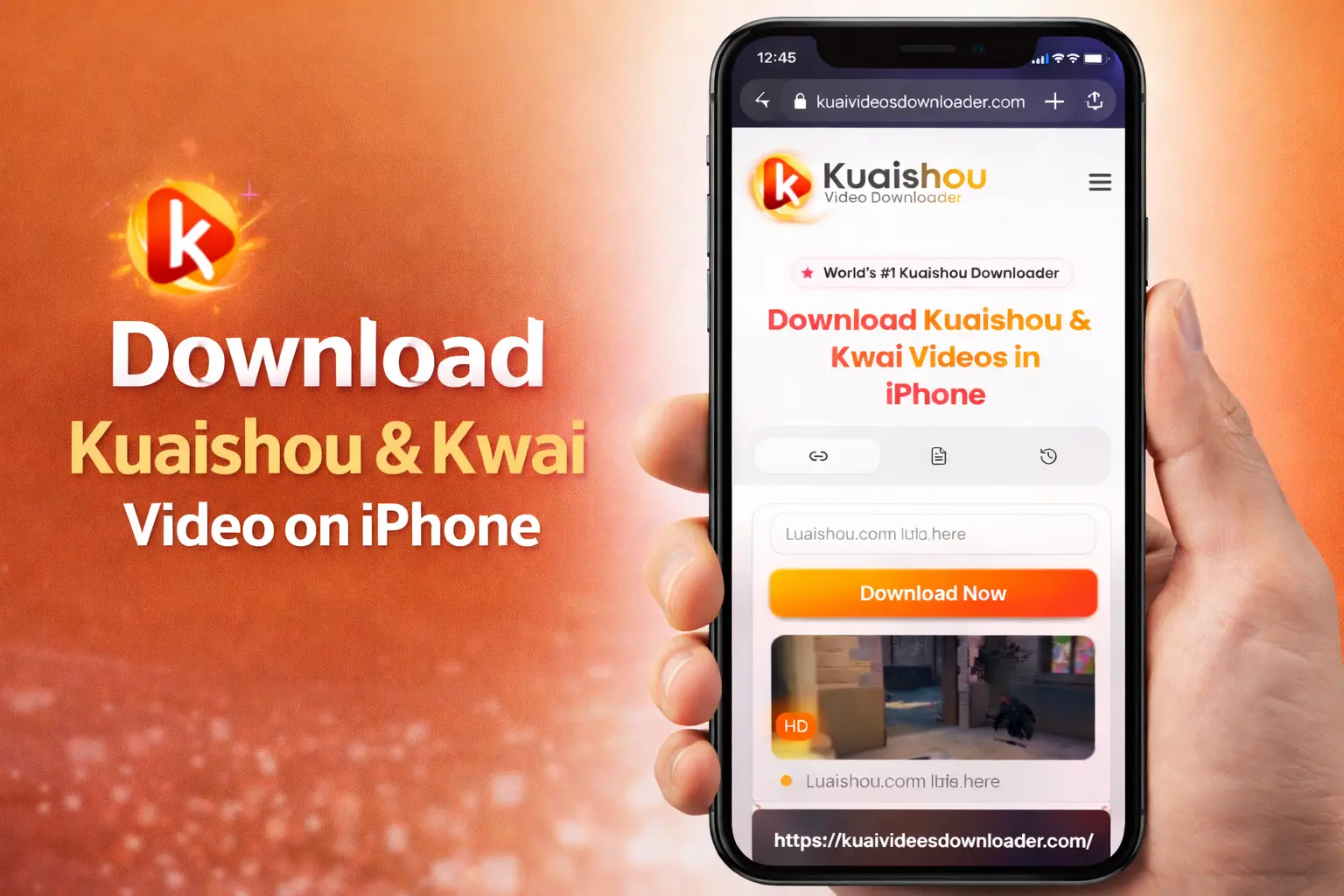
If you searched “how to download Kwai video” or “save Kuaishou video without watermark on iPhone,” you already know the frustration. Android users tap one button and the video is saved. iPhone users get stuck. I have been there too. I observed and tested for a very long time. Then I built the Kuaishou Video Downloader Tool — and today I will show you exactly how to use it. Free, no apps needed, no watermark, works on every iPhone in 2026.
⚡ Quick Summary (30 seconds)
- Copy your Kwai/Kuaishou video link
- Go to our Kuaishou Video Downloader in Safari
- Paste the link → tap “Get Download Link”
- Tap Download when the popup appears
- Open Files app → move video to Photos
- Total time: under 60 seconds. No app needed. No watermark. Free.
Kuaishou vs Kwai: What Is the Difference?
You may have seen both names — Kuaishou and Kwai — and wondered if they are different apps. The answer is simple:
They are the SAME app. Kuaishou (快手) is the original Chinese name. Kwai is the international version used outside of China, especially in Brazil, Southeast Asia, and the Middle East. Both apps share the same videos and the same download links. Our tool works for BOTH Kwai and Kuaishou videos without any difference.
Why Is It Different to Download Videos on an iPhone?
You must wonder why your friend with an Android phone simply taps ‘download,’ and the video immediately appears in their gallery, but why do I have to go through these troubles? It’s not about your phone being weak; it’s because your phone is too secure.
iPhones are like a high-security hotel in which every app lives in its own private room, which Apple calls a “sandbox.”
- Safari has its own room.
- Photos has its own room.
- Kuaishou has its own room.
In iOS, every small app needs your permission so that it can make changes to your phone.
For phone security, Safari is not allowed to get into the Photos room and leave a video there. It needs your explicit permission and a very specific set of keys to move a file from one room to another.
Due to this security system, downloading Kwai or Kuaishou videos on iPhone felt impossible for years. But Apple built a bridge between these two worlds called the Files app. This is exactly what makes our method work in 2026 without any third-party app.
The Best Method: Using a Free Online Downloader in Safari
In 2026, the smart method to download Kuaishou content is not just filling up your phone with useless video saver apps. Mostly, apps just want to track your data and force you to buy their monthly subscriptions, which are too costly. But you don’t need to worry about it.
Our Kuaishou video downloader is a high-performance online tool that is specially designed for iOS and iPadOS. You just need to use your Safari browser. You can save videos instantly with nothing to install and no apps to download. This keeps your phone fast and storage free. This also helps you to avoid the app store’s low-quality Kuaishou video downloaders.
We have designed our tool based on our users’ needs, and here is the Step-by-Step Guide.
The Complete Step-by-Step Guide
You just need to follow these steps one by one, and within a minute, you will have your favorite video in your camera roll without a watermark. Our tool works on every iPhone model, whether it’s an iPhone X or an iPhone 17 Pro Max. You can use it totally free by just following these steps.
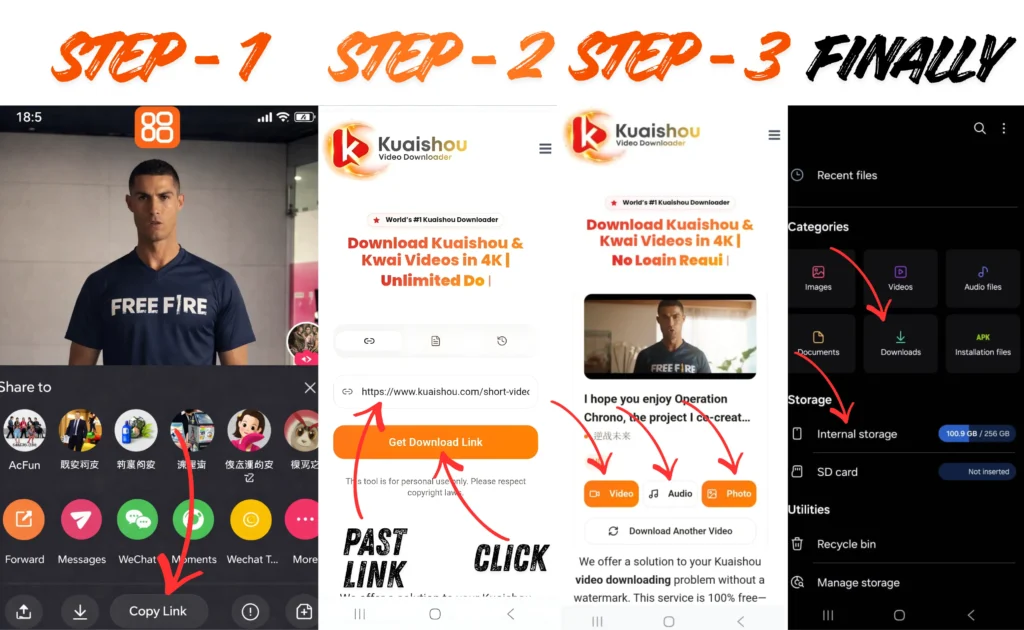
Phase 1: Getting the Video Link Using iPhone
- Open the Kuaishou (kwai) app on your iPhone
- Go to the video you want to save
- Now tap the share button (it’s usually an arrow on the right side, which depends on your region)
- Tap on Copy link, and you will see the “link copied” message.
Phase 2: Use the Online Tool On Safari
Now you just need to open your iPhone browser
- Open Safari on your iPhone (Safari is most reliable for iOS in file handling)
- Open our free Kuaishou Video Downloader in Safari.
- Click on the video’s past box, a paste icon will appear; just click on paste, and that’s it.
- Tap on the “Get Download Link” button.
- Our system will fetch the video. Your video will automatically convert to HD, and just click on the video, and your video will start downloading and automatically save to your phone.
Phase 3: Confirm the Download
This is the part where iPhone checks the video, if it is okay, it only takes a few seconds
- The Pop-up: After tapping the download button, a little box will pop up in the middle of the screen showing the file name. It will ask, “Do you want to download this file?”
- Say Yes: Tap the blue Download word on the right.
- When you tab download, just look at the bottom where the website address is. You will see a blue circle icon with a downward arrow. It shows that your video is saved to your phone when it disappears; your video is on your phone, finally.
Phase 4: Moving the Video to Your Photos
Your video is on your phone, but it is hidden. We just need to move it.
- Find the Blue Folder: Close the Safari and look for an app called Files (it’s a blue folder icon). If you can not find it, just search for “Files” on your iPhone.
- Go to Downloads: Now open the app, tap on Browse at the bottom, and click on the Downloads folder. Your Kuaishou video will be downloaded there
- Open the Video: Tap on the video to play it.
- The Arrow: Look at the bottom left corner for a small square with an arrow pointing up. Tap that.
- Save it for Good: A list will pop up. Scroll down a little bit until you see “Save Video.” Tap it, and you’re done
Success! Where to Find Your Video
The process is done, and your video is a permanent part of your photo library. You can find it in
- In your Library: Open your Photos app. Your new video will be at the bottom of your main grid (under Library).
Why Our Online Tool is the Best Choice for iPhone & iPad
Our Kuaishou video downloader is basically designed for iPhone users and engineered to work within the Apple ecosystem, and it’s totally free; you can easily download your favorite content without a watermark in Ultra HD and don’t need any subscription. Our tool offers all the premium features for free.
Our tool not only removes the watermark, but it also has features like photos and audio, and you can also download the videos in batches, which is the best feature we have in our tool in 2026. You don’t need to waste your time putting in the links one by one; just upload all the links in a batch, and our tool will automatically fetch them within minutes.
| Feature | Our Tool | Random Apps |
|---|---|---|
| Price | 100% Free Forever | Free then paid |
| Watermark | Removed | Often kept |
| Video Quality | Ultra HD | Compressed/blurry |
| App Install | Not needed | Required |
| Privacy | No data collected | Often tracks you |
| Batch Download | Yes (multiple links) | Rarely free |
| Audio Download | Yes | Paid feature |
| iPad Support | Yes | Sometimes broken |
| iPhone 17 Ready | Yes | Not always updated |
Tips for iOS Users
If you plan to download a lot of videos, you should be aware of these hidden settings that will help you run your phone smoothly without facing problems.
- Delete the “Files” copy: When you see the video in the photo, then you must go back to Files and delete the video. It helps you avoid videos from taking up double the space in your phone.
- Save to “On My iPhone”: Safari saves everything to iCloud, which can fill up fast, and you can change the setting from iCloud to direct to your phone.
- Go to Settings > Safari.
- Tap Downloads.
- Switch from “iCloud Drive” to “On My iPhone.” Now your downloads will save to your phone, and your iCloud will not run out of space.
- Auto Clean Safari: It will help you keep your browser neat and clean automatically without having to give your permission.
- Go to your settings in Safari > Downloads.
- Tap Remove Download List Items.
- Now set the list to clear after one day. It helps you stop your Safari menu from looking messy.
Is it Safe for My iPhone?
The big problem that iPhone users face is security. You don’t need to worry; our tool is online, and it doesn’t ask for any personal data or password.
- The App Way: safe but not recommended at all because it’s a risk of your data being hacked.
- The Online Way: its 100% Safe. Since our tool runs in your Safari browser, it does not ask for any data. It works online, and you just need to give it the link of the video that you want to download. Through our online tool you are saved from modded apps that have malware.
Troubleshooting Common iPhone Download Problems
You may face these problems while downloading videos on your iPhone. You don’t need to worry; just read how to fix them.
- Nothing happens when I tab download:
Sometimes, when you tap on download, nothing happens. You should make sure that you are not in private browsing mode. It’s because safari stay extra secure. - When I tap download, the video just plays in a new tab:
It happens when you click on the view button, not the download button, and sometimes it’s a glitch. You don’t need to worry; just go back and hold the blue button. A pop-up will display; just click on the download link. - The download gets stuck at 99%:
Sometimes your battery is low, and the yellow icon is on, and it’s because of it that your download might pause to save power. - The Blue Arrow doesn’t appear:
Sometimes the connection gets dropped or interrupted for a few seconds; you just need to reload the page to resume the download. - Not enough space error:
It is because your phone runs out of storage; you just need to follow these two steps- Go to Settings > General > iPhone Storage
- Delete a few old apps or photos to make space.
- The video won’t open in Files:
It’s because your video has not completely downloaded, and you exited that page. You just need to wait until that blue circle completely fills up.
Frequently Asked Questions for iPhone Users
Final Thoughts: The Easiest Way to Download Kwai Videos on iPhone in 2026
Downloading Kwai or Kuaishou videos on an iPhone does not have to be painful. You do not need expensive apps. You do not need a subscription. You don’t need a tech expert. With our free online Kuaishou Video Downloader, the process takes under 60 seconds:
- Copy the link from Kwai
- Paste it into our tool in Safari
- Download and save to your Photos
That is it. Clean HD video. No watermark. No cost. Works on every iPhone and iPad in 2026. Whether you are saving a funny video to show your family and friends or downloading content to watch offline without Wi-Fi, our tool is ready for you. Ready to try? Paste your first Kwai link above and see for yourself.