4 Proven Ways to Download Kuaishou Videos Without Watermark (2026 Guide)
Looking for a Kuaishou video downloader without watermark? You are in the right place. In this 2026 guide, I will show you 4 methods that actually work to download Kuaishou (Kwai) videos without watermarks on any device — iPhone, Android, PC, or Mac. The fastest and safest method takes only 3 steps and works entirely in your browser with no app install needed.
Legal Disclaimer: This Kuaishou video downloader guide is for personal use only. Download responsibly — only save videos you created, own, or have explicit permission to use. Respect copyright and Kuaishou’s Terms of Service.
Quick Comparison: All 4 Methods at a Glance
| Method | Works on Phone | No Install | Safety | Speed |
|---|---|---|---|---|
| Online Downloader | ✅ Yes | ✅ Yes | ✅ Safe | ⚡ Fastest |
| Browser Extension | ❌ PC only | ❌ Must install | ⚠️ Risk | 🔶 Fast |
| APK App | ✅ Android only | ❌ Must install | ❌ Risky | 🔶 Fast |
| Telegram Bot | ✅ Yes | ✅ Yes | ✅ Safe | 🔶 Medium |
Method 1: Online Video Downloaders (No Watermark & No Install)
This is the best way to download Kuaishou videos. It is safer, easier, and works on any device you use. If you’re not fully familiar with the platform yet, you can read What are Kuaishou & Kwai? The Complete Guide (2026) to understand how Kuaishou works.
An online video downloader works in every web browser, like Chrome orSafari. You don’t need to install any software or app. You just need to open a website and download a video. Our free tooldoes exactly this. We made it the easiest and safest way to get clean Kuaishou videos without watermarks.
How It Works (Super Easy – Just 3 Simple Steps)

Step 1: Grab the Video Link
Open the Kuaishou app on your phone and find the video you want to save. Click on the Share button (It looks like an arrow.) Tap on it and then press Copy Link. that it done.
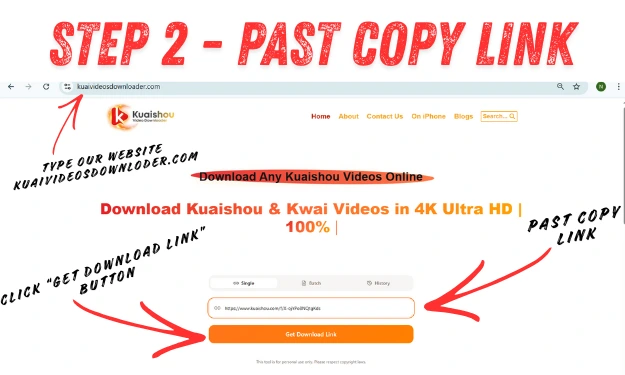
Step 2: Drop It Into Our Tool
Now open your browser and go to kuaivideosdownloader.com. You will see a white box right there on the homepage. Just paste that link you copied into the box.
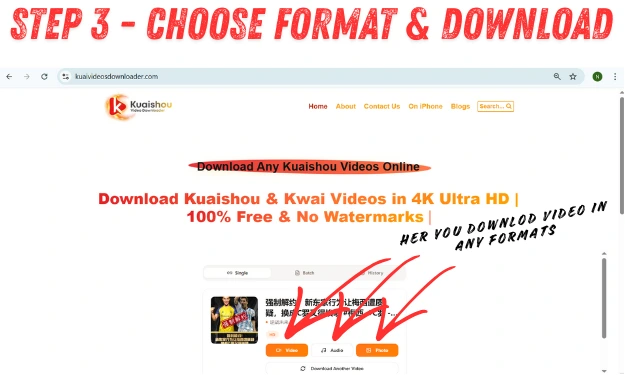
Step 3: Download Your Clean Video
Click on the “Get Download Link” button. In a few seconds, you will see download options pop up, and at last, hit Download. The video will automatically save to your phone or computer, completely clean with no watermark.
Why Online Downloading is the Safest Choice
- 100% Safe & Secure: You don’t need to install anything on your device, so there is zero risk of viruses, malware, or spyware getting on your phone or computer.
- No Installation Required: it does not take any storage space on your device; it just works instantly in your browser without downloading or installing anything.
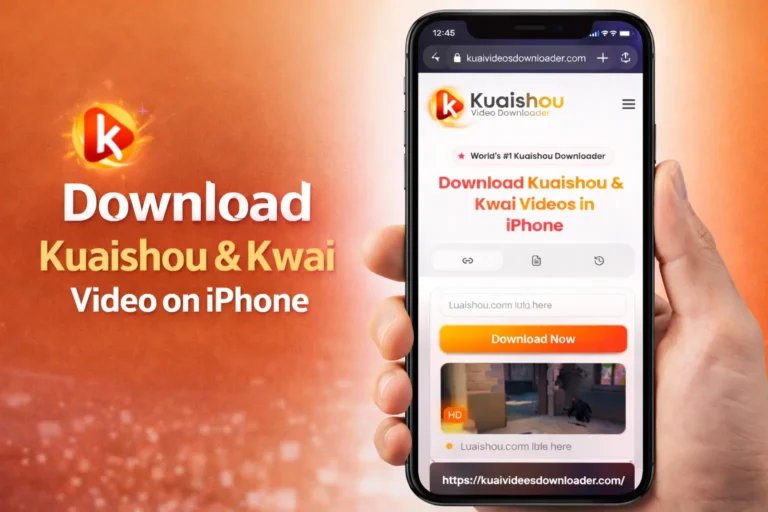
- Works on Every Device: One tool works everywhere: iPhone, Android, PC, Mac, iPad, tablet, if it has a browser, it works perfectly.iPhone users can also follow our How to Download Kuaishou Videos on iPhone (Step-by-Step) guide for a detailed walkthrough.
- Always Updated Automatically: Whenever Kuaishou changes its code, we update our servers instantly, so the tool keeps working; you don’t have to do anything.
- Completely Free Forever: Unlimited downloads, no subscriptions, no “premium” upgrades, 100% free.
- No Account or Login: You just need to start downloading without creating an account or signing up; just download videos.
- High-Quality Downloads: You will get videos in their original quality, HD, 1080p, or full 4K with audio options also in MP3 or M4A.
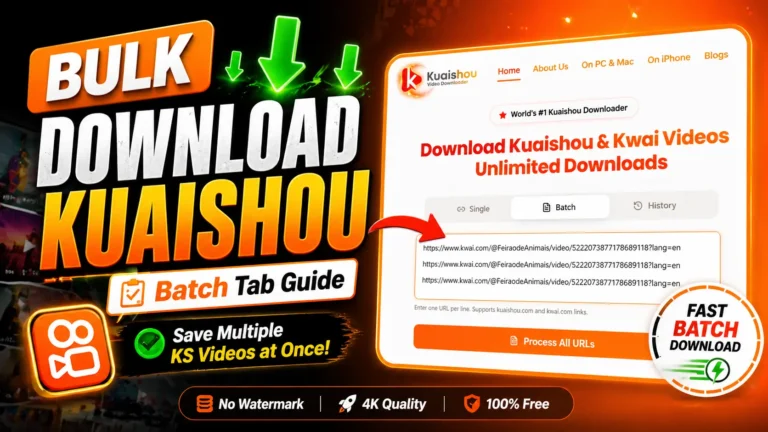
- Batch-Friendly Process: The download process is so fast that saving multiple videos takes just seconds each, with no need to wait between downloads.
- Works on Slow Internet: it works on slower connections; the tool works without timing out.
- Mobile-Optimized Interface: The website works perfectly on small phone screens, easy to use, whether you’re on a tiny phone or a huge desktop monitor.
- No Browser Extension Required: You don’t need to install any browser add-ons that slow down your browsing or request suspicious permissions
Method 2: Browser Extensions for Chrome and Firefox
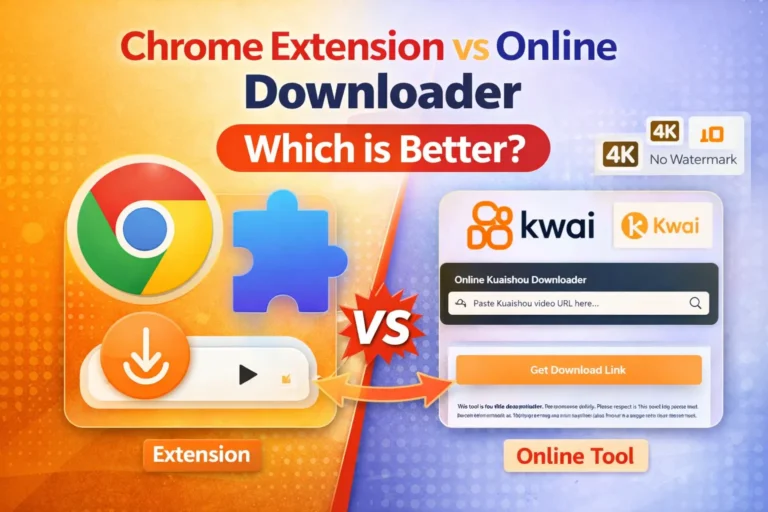
Desktop users can install a browser extension for Chrome or Firefox to download Kuaishou videos. If you’re unsure which method is better, check out our Chrome vs Online Downloader (Which Is Better?) guide. These little tools add a download button right on the Kuaishou page, making it super easy to save videos. This makes saving videos as simple as clicking a button while browsing.
How a Browser Extension Works
Desktop users can read the full walkthrough here: How to Download Kuaishou Videos on PC & Mac Full Guide 2026. When you add the extension, it automatically detects when you are watching a Kuaishou video. You will see a small button pop up that lets you download it, and you can usually pick the video quality you want.
The Pros & Cons of Using Browser Extensions
Browser extensions might seem safe, but they come with some serious issues that make them risky for most people.
The Good:
- Quick and easy – the download button appears right on the Kuaishou page while you browse.
The Bad:
- Security nightmare: the extensions need access to everything you do online. Any of these could spy on your browsing, grab your passwords, or place a lot of ads.
- Phone users are out of luck: These only work on computers and laptops, not on iPhones or Androids.
- They break constantly: whenever Kuaishou updates their site, the extension stops working until the developer fixes it.
Method 3: Dedicated Android Downloader Apps (APKs)
An APK is basically an app file you grab from random websites instead of the Google Play Store, and then install it on your own. The riskiest option is downloading a “Kuaishou Video Downloader APK” for your Android phone.
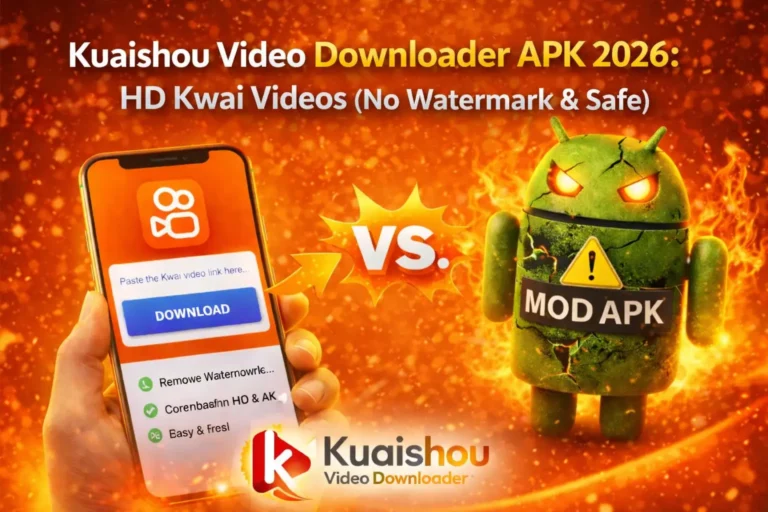
Google doesn’t allow these downloader apps in its official store, so many users download them from third-party sites. It’s called “sideloading,” and it’s not safe. I don’t recommend this for most people because it can be very risky if you want to know how to safely Download Kuaishou Vidos through APK in 2026 without a watermark.
Pros & Cons of an APK App
Here are the pros and cons of using APKs
The Good:
- Automatic Link Detection & “Smart Paste”: The app detects Kuaishou links automatically. Just copy the link, and the app instantly recognizes it, no need to manually paste it.
- Batch downloading: it fetches dozens of videos at once and downloads them in the background, allowing you to continue working on your phone.
The Bad:
- Serious Security Threats (Malware & Spyware) These APKs can secretly install malware on your phone that steals your passwords and personal data.
- No Automatic Updates. When it stops working, you have to manually find a new downloader and download a new version of it.
- Complex Installation Steps: You have to change your phone’s security settings and manually install these files, which is more complicated and complex than as compared to google play store.
- Massive Battery & Data Drain: These apps run constantly in the background, draining your battery fast.
- Privacy Invasions (The “Permissions” Trap): The apps ask for access to your contacts, messages, and camera, things they don’t need, then they use your info by themselves.
Method 4: Third-Party Telegram Downloader Bots
Telegram bots are also used for downloading the watermark free videos. If you use Telegram daily, you can download Kuaishou videos from the app using the bots. These bots help you grab your video in some time in clean and ultra hd without a watermark.
How to Use It:
- Find a bot: Open your Telegram and search for “Kuaishou Downloader” or “All Video Downloader Bot” and use bots like @SaveVideoBot, which work great.
- Start it up: Tap on the “Start” button to start the bot.
- Send your link: Copy the Kuaishou video link and paste it into the chat box to the bot.
- Download it: The bot will send you a clean video file without watermarks. You just need to tap the three dots and press “Save to Gallery.”
Done! Your video is saved to your phone.
Pros & Cons of Telegram Downloader Bots
The Good:
- Your privacy stays safe: The bot only sees the link you send it, they have no access to your contacts or personal stuff.
- Works everywhere: you can download it on your phone and access it on your tablet or computer through Telegram.
- No extra apps needed: If you have Telegram, then you don’t need to waste your phone with another app.
The Bad:
- They go down sometimes: the Bots can randomly stop working when Kuaishou updates its system, and you’ll have to wait for the developer to fix it.
- Size restrictions: the Free bots sometimes can’t handle big files if your video is over 50MB or in 4K, you might not be able to download it.
- Trust carefully: Most bots are safe, but never give your login info or passwords. If a bots ask for information, run away.
The Final Words: Why the Online Method Wins in 2026
After every method, my clear recommendation is to use an online web downloader. Browser extensions are good for desktop users, and APK apps offer more features. But these both come with serious security risks that just aren’t worth it for most people.
Online tools like our Kuaishou Video Saver work entirely in every browser. We never ask for your personal files, passwords, or phone data. You will get high-quality, watermark-free videos without installing anything or putting your device at risk. It’s the safest, simplest way to download Kuaishou videos in 2026.
Why Watermarks Matter: Protecting Creators in the Social Media Age
That watermark might annoy Viewers but you need to know that it actually serves an important purpose for the creator. In a world where videos get copied and reuploaded constantly, watermarks do three key things:
The Viral Growth Strategy
When you download a funny video and send it to your friend or family, and the video still has a watermark, so your friend or family watches that video and loves it, and they notice the kuaishou and they think what Kuaishou is. They download the app, and it is why the videos have a watermark so that they can advertise their app for free. Watermark is a free marketing strategy that is the reason these platforms grow easily without spending a penny on ads.
Protecting Creator Attribution
When someone creates an amazing video, and it goes viral on all the platforms like YouTube, Twitter, Facebook, and the video has a username, which shows the creator, but without the username or watermark, who will know who the creator of this video is, and where we can find their content? The watermark helps people to find the person who created this and also helps the creator to go viral and gain followers.
The Content Dilemma
Kuaishou wants these watermarks for growth, and creators need them for credit; users want them for a clean video for their personal collection or project. Everyone has valid reasons for what they want. You can download what you need, but always respect and credit the creators who made the content.
Our video saver is the better solution for your problem if you need a clean video instantly. Just copy the link and paste it here, and Done.
The Creator’s Digital Stamp
These watermarks are for user protection because these watarmarks represents the user’s work whenever their content goes viral, and the video gets millions of views on different platforms, so this watermark is the think which help them to get famous and gain more followers through it, and it also protects their content from being stolen. The username is not just an annoying decoration, its there lifeline to recognize flowers and get more opportunities.
The Hidden Risks of Using No-Watermark APKs: Malware and Data Privacy
We have already mentioned that APKs are risky, but you need to understand that they trap you by giving you extra features. These look helpful from the outside, but they hide a malicious payload inside them. When you install them, they have access to your phone, and they can do whatever they want.
The “Privacy Trap”: Malware and Spyware Dangers
The most common goals of APKs are to steal your dignity and identity.
- Keylogging: they can record every word and letter you type, and when you log into your bank or social media, the hacker gets your username and password instantly.
- Contact Scraping: it can also steal your contacts and then sell them to scammers, and they use it to send phishing links or spam messages to your friends pretending to be you.
- Remote Camera & Mic: It can also turn your camera or microphone ON without even knowing.
- Real-Time Tracking: They can track you 24/7, knowing exactly where you live, work, and travel.
System Performance: The Cost of Aggressive Adware
While malware steals your data, Adware steals your phone’s life. Most “free” Kuaishou downloader APKs are designed with aggressive advertising frameworks and are also designed to squeeze every cent of profit out of your device. It can permanently damage your hardware.
- Battery Degradation: Adware runs ads on your phone, which keep your screen continuously open, and which can cause battery degradation.
- Cramming and Ghost Clicks: The adware uses a technique called ghost clicking, which runs a layer that clicks on ads without you seeing them.
- CPU Hijacking: Adware not only shows ads, but it can also slow down your processor even if you are not using the downloader.
- No Updates & Constant Breakage: Kuaishou updates its app API, which fully breaks these apps, and now you will hunt for another APK file and repeat the risky method.
The “Permissions” Nightmare: Bypassing Security
A lot of these downloader APKs trick you and turn on your “Accessibility Permissions.” This lets the app see everything on your screen and tap buttons for you.
- Approve stuff without asking you: It can automatically say “yes” to other permissions while you’re busy using other apps.
- Stop you from deleting it: When you try to uninstall the app, it can literally tap “cancel” for you so you can’t get rid of it.
- Spy on your private messages: It can read your chats in WhatsApp, Telegram, or any other app you use.
Kuaishou vs TikTok: How Their Watermarks Are Different
Kuaishou and TikTok both have watermarks on videos, but they do it in completely different ways.
Kuaishou Keeps It Simple
When you save a video from Kuaishou, the watermark just sits there in one spot, in a corner. It shows that the Kuaishou logo and the creator’s username do not move or don’t fade in and out; they just stay in the same place. Which is less annoying to watch, but it still covers part of your video.
TikTok Plays Hide and Seek
TikTok got smart with its watermark. The logo and username pop up in one corner, hang out for a bit, then fade away. You think it’s gone? Nope, a few seconds later it shows up in a completely different corner. It keeps bouncing around the entire video like it’s playing a game with you.
The only way to get videos without either watermark is to download them before the platforms add those logos—which is exactly what your website does for you.
| Feature | Kuaishou (Kwai) | TikTok |
|---|---|---|
| Movement | Static (Stays in one corner) | Dynamic (Bounces around) |
| Cropping Ease | Medium (Loses edge quality) | Hard (Cuts off main content) |
| Annoyance Level | Low (Consistent & predictable) | High (Distracts from the video) |
| Official Removal | Only via high-end creator tools | Settings allow it for your own posts |
| Best Solution | Online Downloader Tool | Online Downloader Tool |
Frequently Asked Questions
Why You Can’t “Remove” a Watermark
Searching for “watermark remover” tools? Here’s the truth: once you download a video with a watermark, removing it means using complicated AI software or blur filters. The result? Messy, pixelated videos with obvious blurry spots.
The real solution isn’t removing watermarks—it’s downloading before the watermark gets added. When you save from the Kuaishou app, the logo is already baked in. But most people don’t know this: copy the video link and use a free online Kwai Video Saver to get a completely clean video.
That’s how kuaivideosdownloader.com works. We don’t remove watermarks from processed videos. We access the raw, original file from Kuaishou’s servers—the same file uploaded before logos were added. Paste a Kuaishou link, we fetch the pristine source file in original HD quality. No watermark. No editing. No quality loss. Just the clean video as it was created, ready to use. It’s the only method for truly professional, watermark-free results every time.